After IT has assigned you the Owner role of the group:
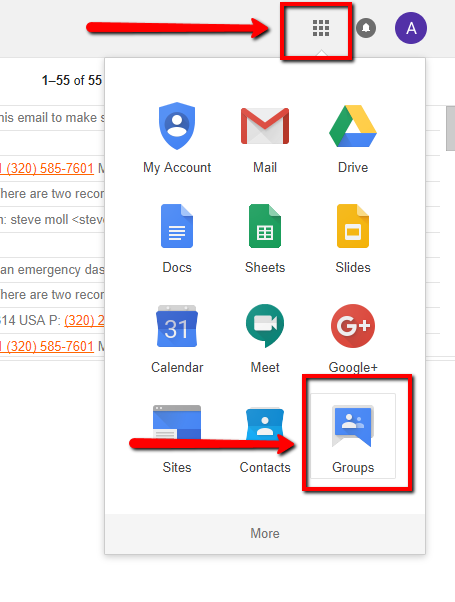
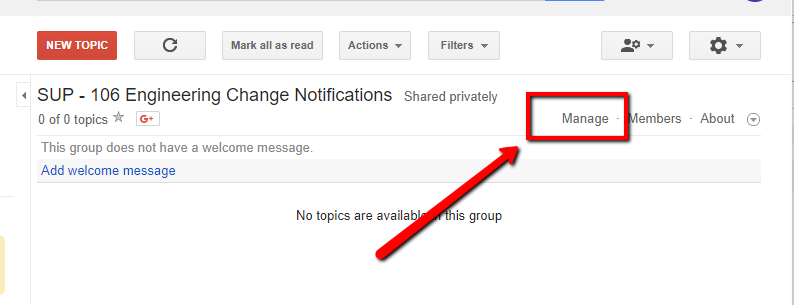
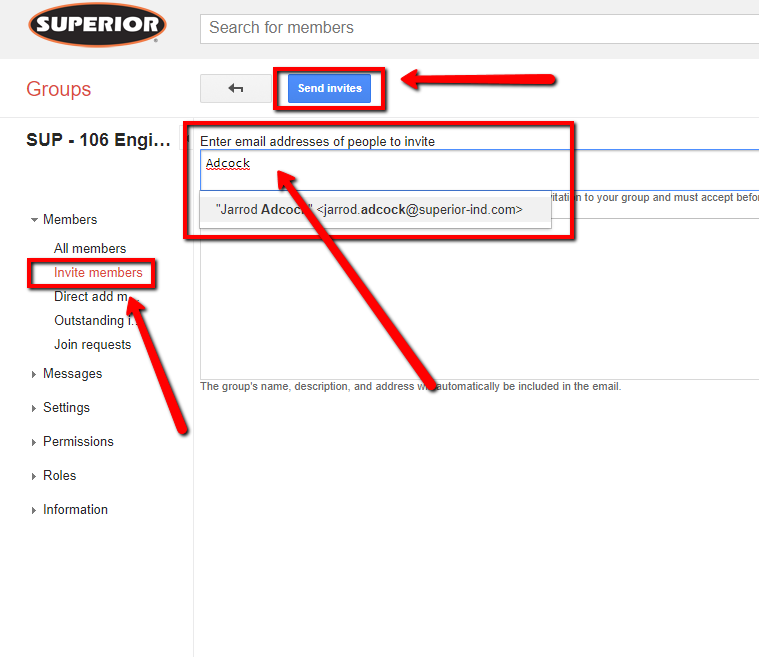
1. In Gmail, click the Waffle (upper right) --> Groups --> My Groups --> Name of the Group --> Manage (upper right) --> Invite members (left side).
2. Enter email addresses of people to invite --> Send invites